
เพื่อที่จะใช้งาน istio ใน Nutanix Kubernetes Platform จะต้องทำการ enable service ที่เกี่ยวข้องคือ prometheus monitoring ใน menu application
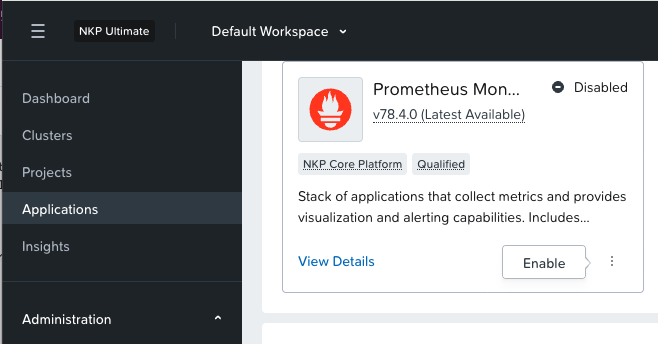
จากนั้นทำการ enable istio ตามด้วย jaeger และ kiali
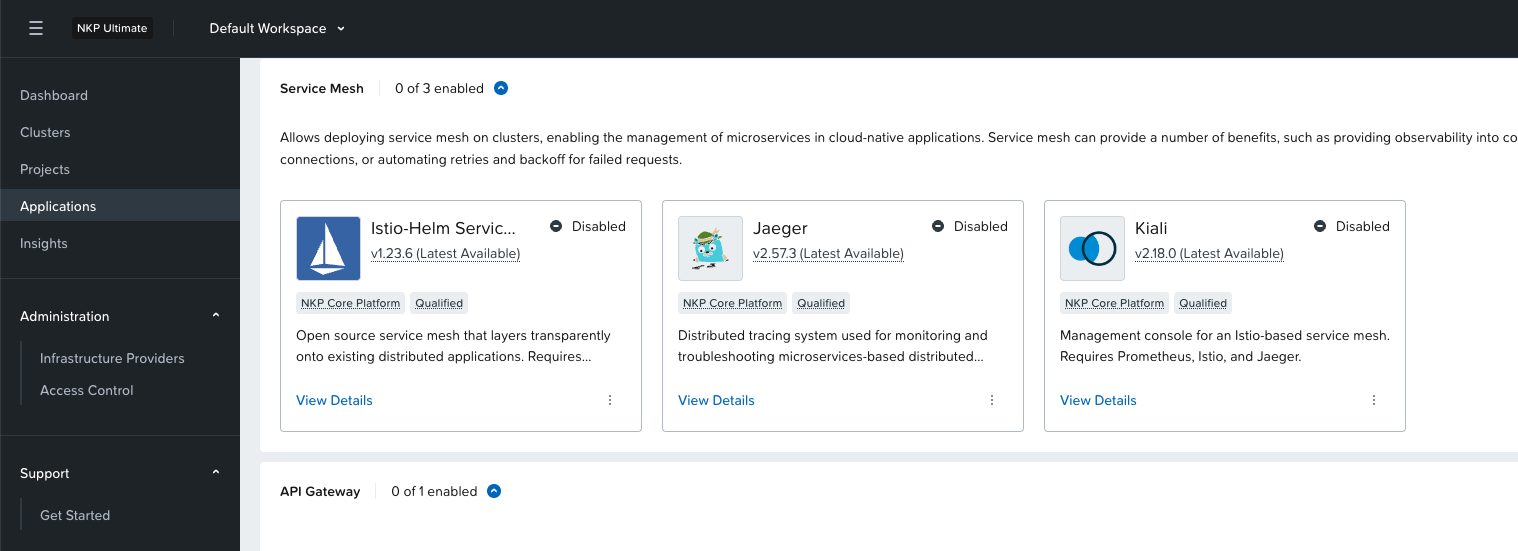
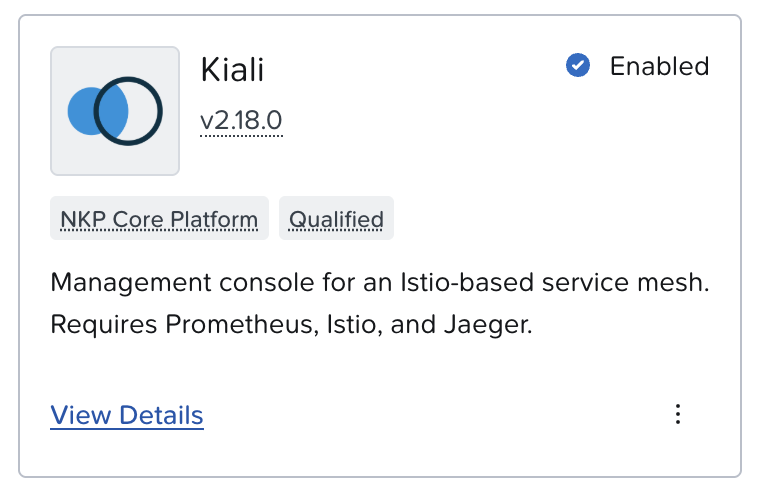
สำหรับ kiali จะต้อง copy configuration เพิ่มเติมโดยเข้าไปที่ view detail
และ copy ส่วนที่เป็น configuration ที่ menu overview ดังรูป
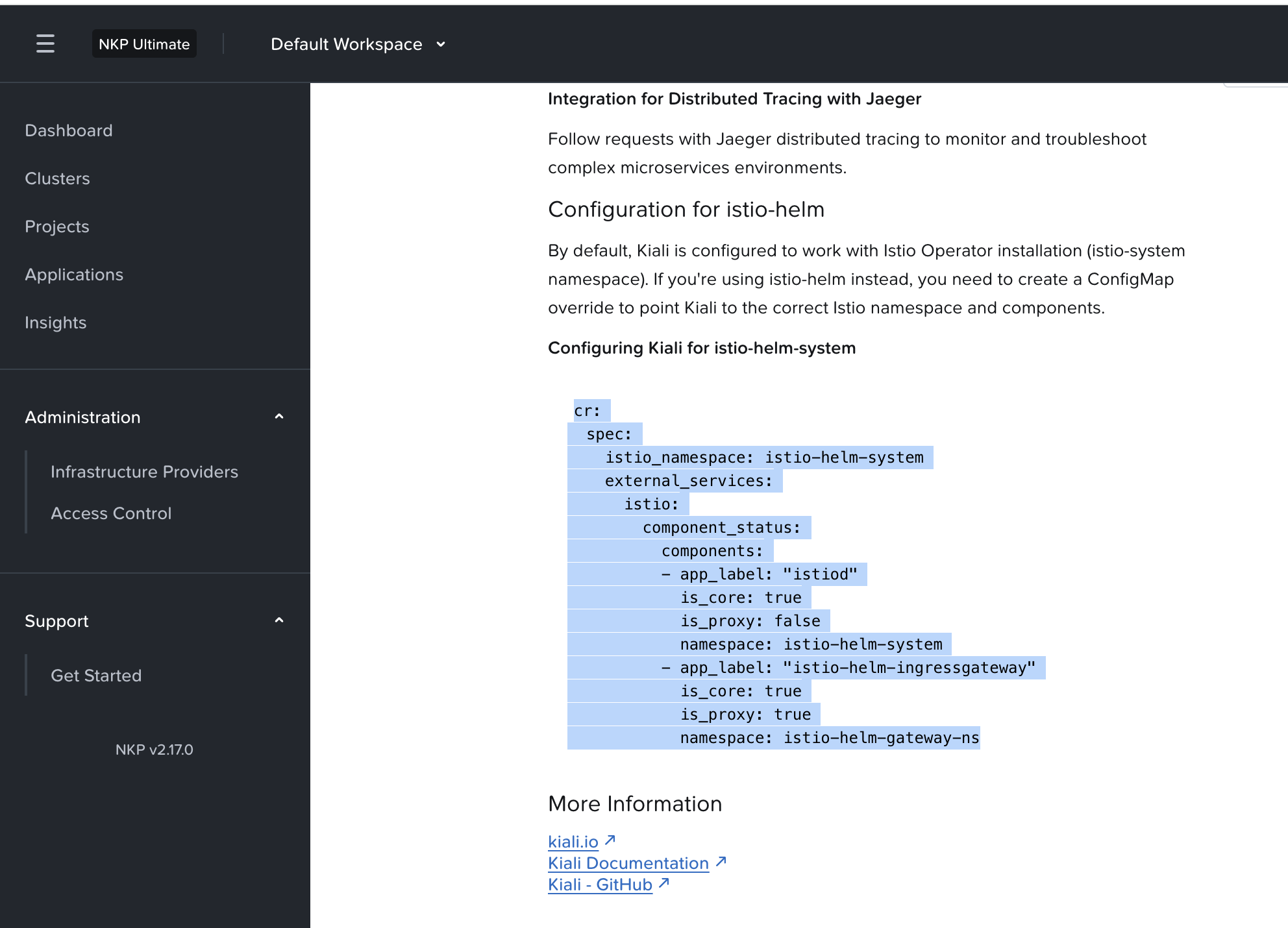
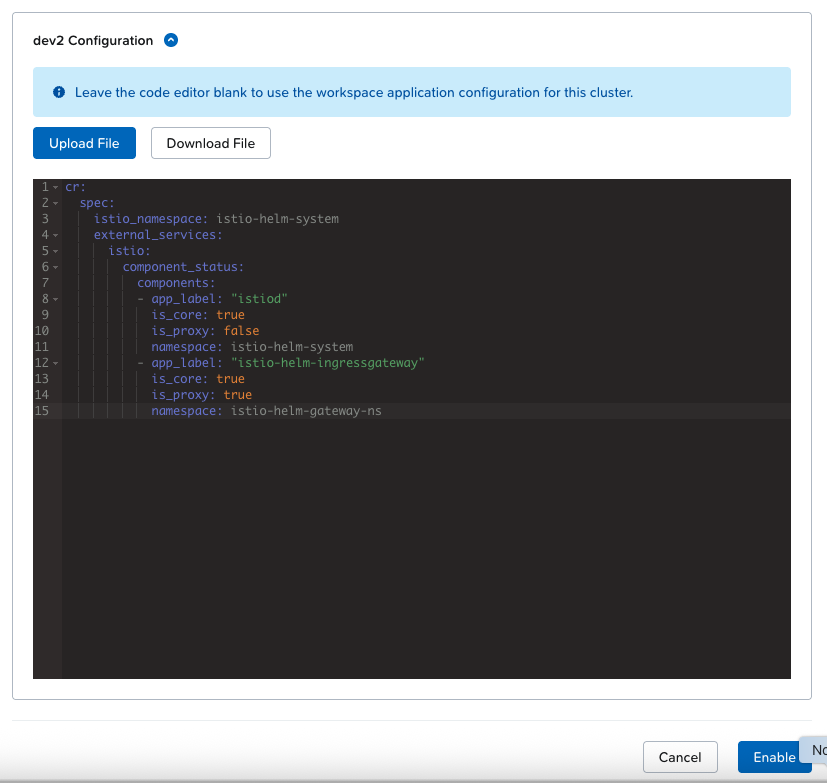
ในขั้นตอน enable ให้ใส่ configuration ก่อนที่จะ enable ดังรูป
หลังจาก enable เสร็จแล้วให้รอจนกว่า service จะ install เรียบร้อย ตรวจสอบได้จาก cli ตามตัวอย่าง
[nutanix@harbor ~]$ kubectl get pod -A | grep istioistio-helm-gateway-ns istio-helm-ingressgateway-79df9868c8-5vkzb 1/1 Running 0 102mistio-helm-gateway-ns istio-helm-ingressgateway-79df9868c8-6shfm 1/1 Running 0 102mistio-helm-system istiod-istio-helm-545d9895f9-l56hv 1/1 Running 0 102mistio-helm-system istiod-istio-helm-545d9895f9-p9bzq 1/1 Running 0 102mistio-system jaeger-jaeger-operator-759ffd786-vf7wc 1/1 Running 0 104mistio-system jaeger-jaeger-operator-jaeger-6cb7cfb9f-l4xph 1/1 Running 0 104mistio-system kiali-kiali-operator-c6649cd8f-t7k98 1/1 Running 0 102mkommander-default-workspace istio-helm-pre-install-kt59f 0/1 Completed 0 105mkube-system istio-cni-node-cwff7 1/1 Running 0 103mkube-system istio-cni-node-fhnz9 1/1 Running 0 103mkube-system istio-cni-node-h8szk 1/1 Running 0 103mkube-system istio-cni-node-s2qf4 1/1 Running 0 103mเนื่องจาก istio และ jaeger อยู่ใน workspace ที่แตกต่างกัน จะต้องมีการ update configmap เพิ่มเติม โดยใช้ cli
kubectl edit cm istio-istio-helm -n istio-helm-systemเพิ่มส่วนของ tracing ตามตัวอย่าง
apiVersion: v1kind: ConfigMapdata: mesh: |- enableTracing: true defaultConfig: discoveryAddress: istiod-istio-helm.istio-helm-system.svc:15012 # Tracing belongs here for global configuration tracing: sampling: 100.0 zipkin: address: jaeger-jaeger-operator-jaeger-collector.istio-system.svc.cluster.local:9411 defaultProviders: metrics: - prometheus enablePrometheusMerge: true rootNamespace: istio-helm-system trustDomain: cluster.local# ... rest of metadataทดสอบใช้งาน istio ในแบบ sidecare auto injection จะต้องทำการ label name space ด้วย istio.io/rev=istio-helm
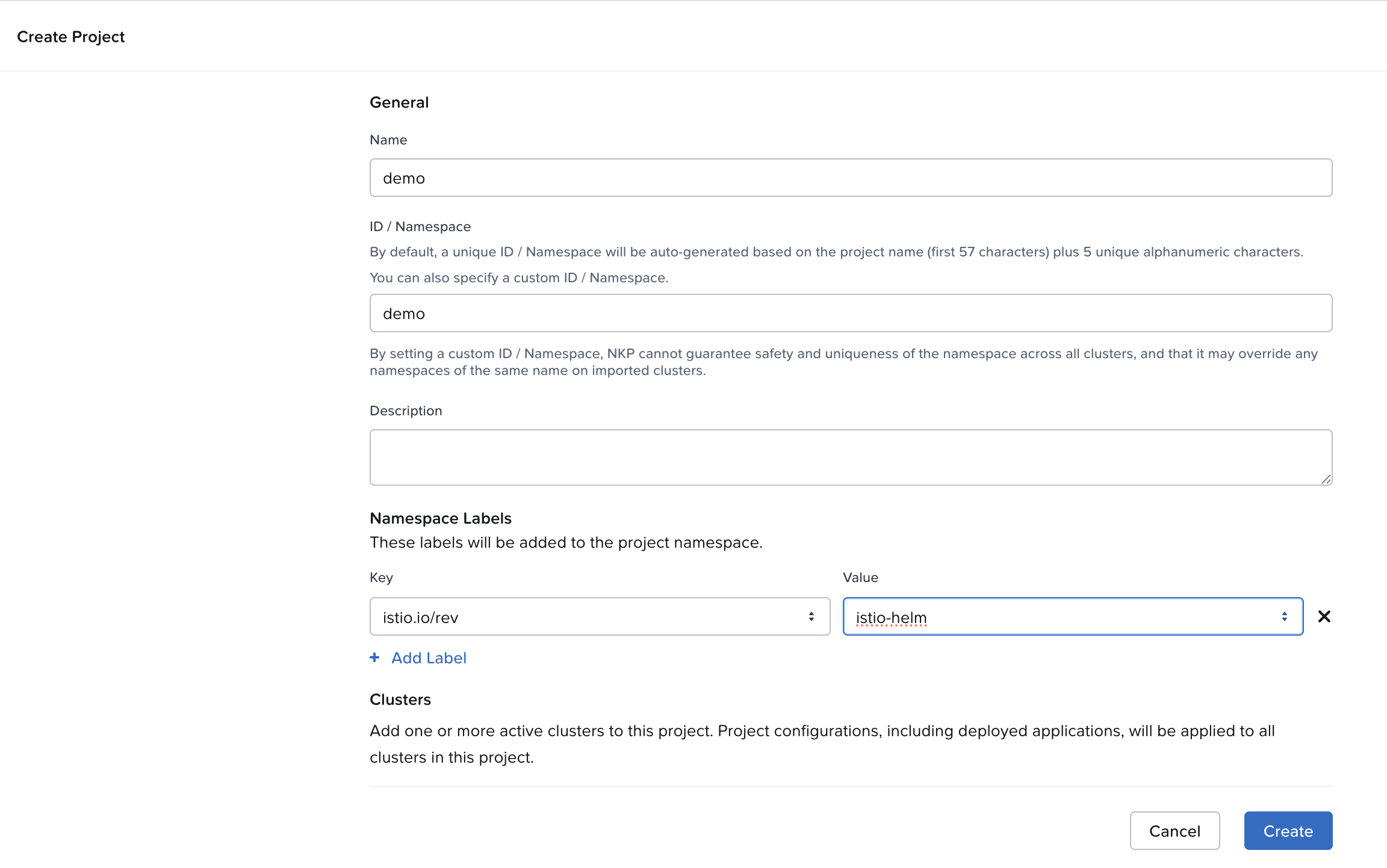
ทำการสร้าง project ใน nkp โดยกรอกข้อมูลและต้องกรอกข้อมูล namespace labels จากนั้นเลือก cluster ตามตัวอย่าง
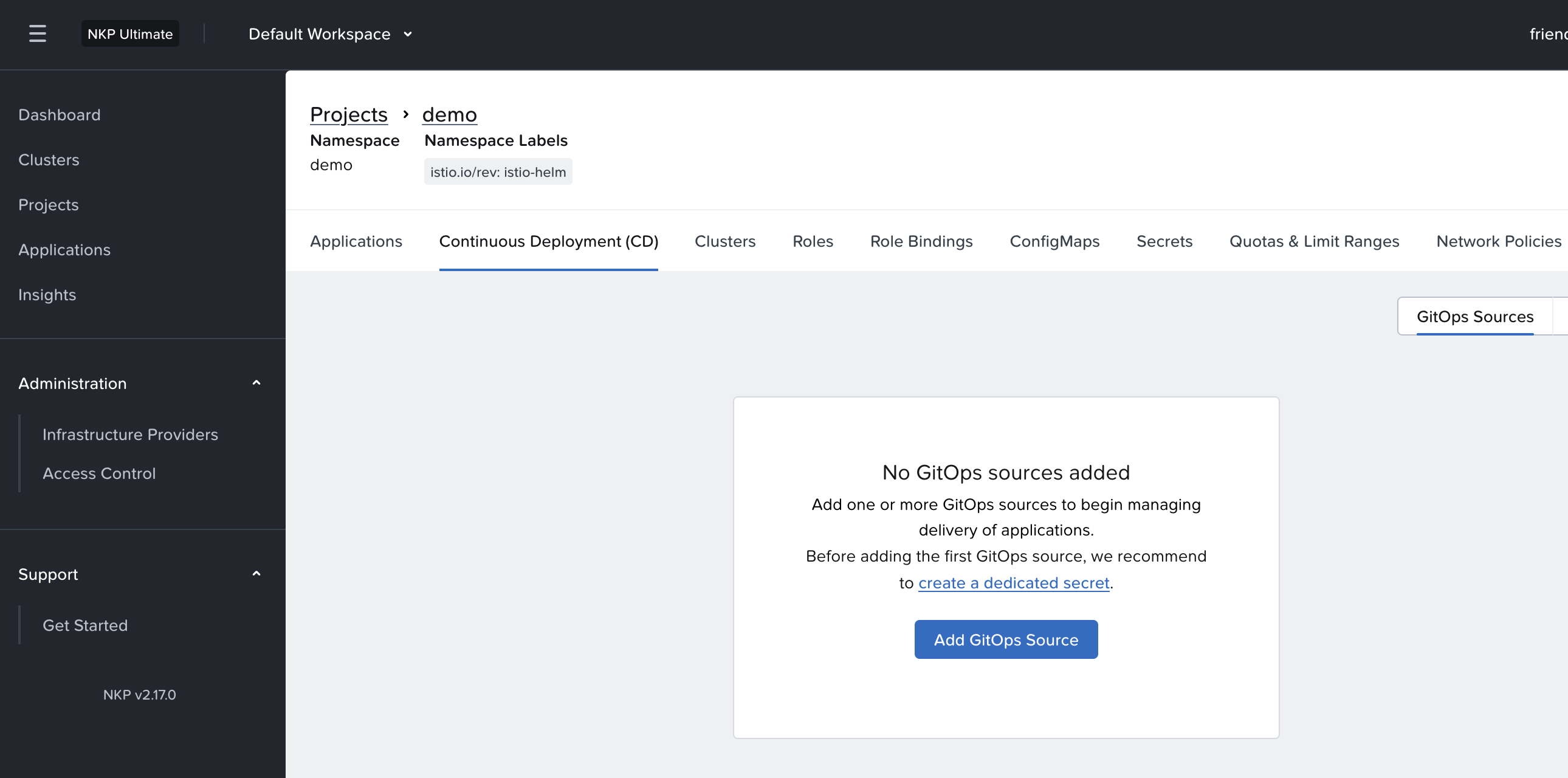
เมื่อสร้างเสร็จแล้ว เข้าไป Continuous Deployment (CD) และกดปุ่ม Add GitOps Source
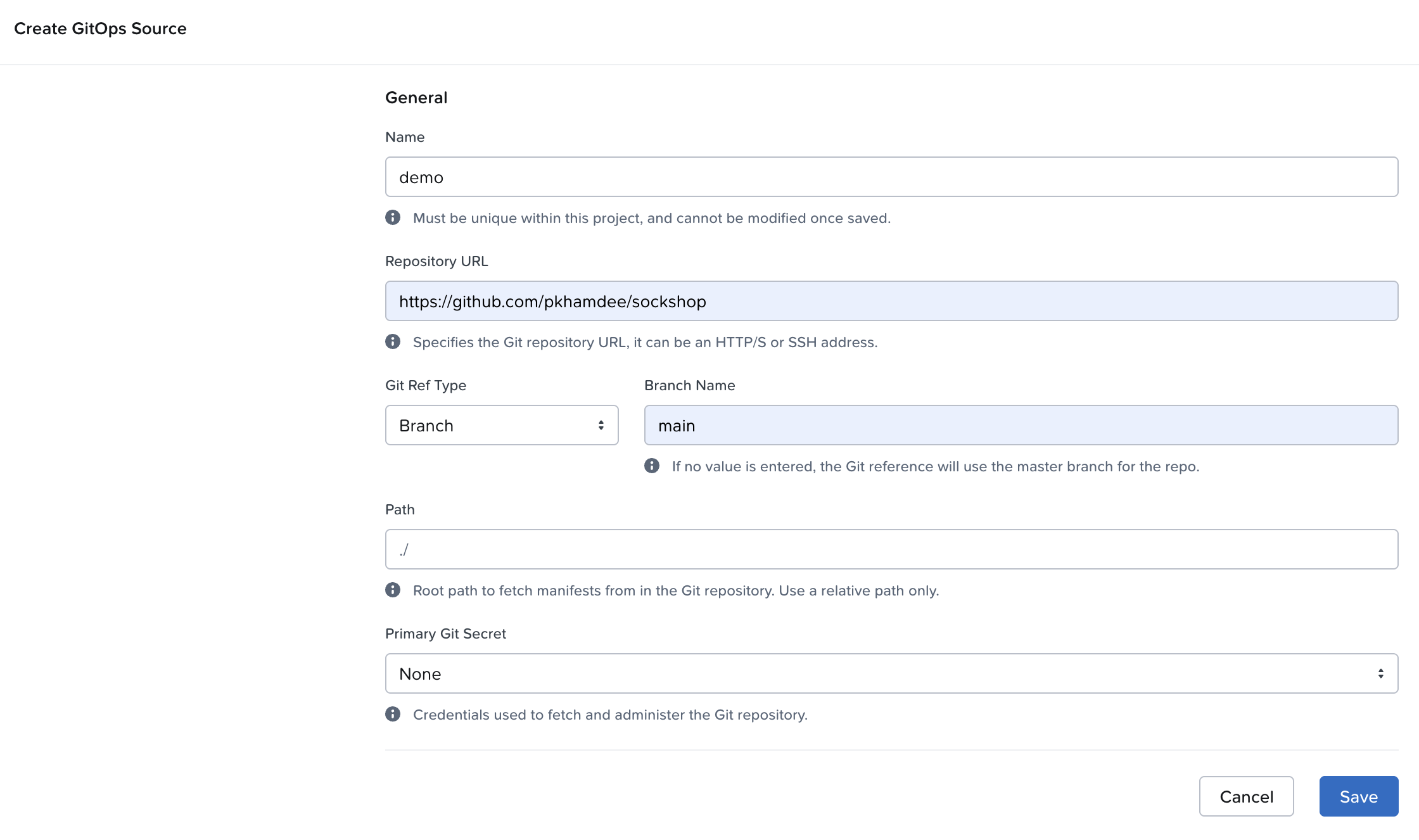
กรอกข้อมูลตามตัวอย่าง และกรอกข้อมูล Repository URL เป็น https://github.com/pkhamdee/sockshop จากนั้นกด Save
จากนั้น nkp จะทำการ deploy application ลงใน namespace demo (ชื่อตรงกับ project) โดย FluxCD ซึ่งเป็น service ที่ nkp ใช้สำหรับการทำ GitOps จะ download yaml file ตาม url ที่กำหนดและ deploy application ให้อัตโนมัติ
สามารถตรวจสอบสถานะการ deploy ได้จาก cli
[nutanix@harbor ~]$ kubectl get pod -n demoNAME READY STATUS RESTARTS AGEcarts-88b4ddf98-p5gqh 2/2 Running 0 5m39scarts-db-7d6d697d94-5cvxk 2/2 Running 0 5m39scatalogue-84b5874db7-rtxkf 2/2 Running 0 5m39scatalogue-db-64d88d46ff-nkrvb 2/2 Running 0 5m39sfront-end-d87486986-8n6pc 2/2 Running 0 5m39sorders-8587749646-8m9wb 2/2 Running 0 5m39sorders-db-8458b5ddb4-xtv5l 2/2 Running 0 5m38spayment-6b49f65444-4hq97 2/2 Running 0 5m38squeue-master-686b7bf644-fw2qq 2/2 Running 0 5m38srabbitmq-6d679fd595-sqhs5 3/3 Running 0 5m38ssession-db-6cfcf8985d-9hph4 2/2 Running 0 5m38sshipping-5b674b9d94-42n48 2/2 Running 0 5m37suser-57c89fbbf4-nzt4d 2/2 Running 0 5m37suser-db-5c748bc594-mphsx 2/2 Running 0 5m37sตรวจสอบว่า envoy sidecar ทำงานปกติ ด้วย kubectl cli โดยจะต้องมี log แสดงว่า “Envoy proxy is ready”
[nutanix@harbor ~]$ kubectl logs carts-88b4ddf98-p5gqh -c istio-proxy -n demo2026-01-30T14:08:29.823282Z info FLAG: --concurrency="0"2026-01-30T14:08:29.823327Z info FLAG: --domain="demo.svc.cluster.local"2026-01-30T14:08:29.823332Z info FLAG: --help="false"2026-01-30T14:08:29.823335Z info FLAG: --log_as_json="false"2026-01-30T14:08:29.823337Z info FLAG: --log_caller=""2026-01-30T14:08:29.823339Z info FLAG: --log_output_level="default:info"2026-01-30T14:08:29.823341Z info FLAG: --log_rotate=""2026-01-30T14:08:29.823344Z info FLAG: --log_rotate_max_age="30"2026-01-30T14:08:29.823346Z info FLAG: --log_rotate_max_backups="1000"2026-01-30T14:08:29.823348Z info FLAG: --log_rotate_max_size="104857600"2026-01-30T14:08:29.823350Z info FLAG: --log_stacktrace_level="default:none"2026-01-30T14:08:29.823356Z info FLAG: --log_target="[stdout]"2026-01-30T14:08:29.823358Z info FLAG: --meshConfig="./etc/istio/config/mesh"2026-01-30T14:08:29.823361Z info FLAG: --outlierLogPath=""2026-01-30T14:08:29.823363Z info FLAG: --profiling="true"2026-01-30T14:08:29.823365Z info FLAG: --proxyComponentLogLevel="misc:error"2026-01-30T14:08:29.823368Z info FLAG: --proxyLogLevel="warning"2026-01-30T14:08:29.823370Z info FLAG: --serviceCluster="istio-proxy"2026-01-30T14:08:29.823372Z info FLAG: --stsPort="0"2026-01-30T14:08:29.823375Z info FLAG: --templateFile=""2026-01-30T14:08:29.823378Z info FLAG: --tokenManagerPlugin=""2026-01-30T14:08:29.823387Z info FLAG: --vklog="0"2026-01-30T14:08:29.823392Z info Version 1.23.6-6a112a28410654328342c68f82da48920e34f062-Clean2026-01-30T14:08:29.823398Z info Set max file descriptors (ulimit -n) to: 10485762026-01-30T14:08:29.823719Z info Proxy role ips=[192.168.2.124] type=sidecar id=carts-88b4ddf98-p5gqh.demo domain=demo.svc.cluster.local2026-01-30T14:08:29.823783Z info Apply proxy config from env {"discoveryAddress":"istiod-istio-helm.istio-helm-system.svc:15012","tracing":{"zipkin":{"address":"jaeger-jaeger-operator-jaeger-collector.istio-system.svc.cluster.local:9411"},"sampling":100}}2026-01-30T14:08:29.825955Z info cpu limit detected as 2, setting concurrency2026-01-30T14:08:29.827354Z info Effective config: binaryPath: /usr/local/bin/envoyconcurrency: 2configPath: ./etc/istio/proxycontrolPlaneAuthPolicy: MUTUAL_TLSdiscoveryAddress: istiod-istio-helm.istio-helm-system.svc:15012drainDuration: 45sproxyAdminPort: 15000serviceCluster: istio-proxystatNameLength: 189statusPort: 15020terminationDrainDuration: 5stracing: sampling: 100 zipkin: address: jaeger-jaeger-operator-jaeger-collector.istio-system.svc.cluster.local:94112026-01-30T14:08:29.827376Z info JWT policy is third-party-jwt2026-01-30T14:08:29.827380Z info using credential fetcher of JWT type in cluster.local trust domain2026-01-30T14:08:30.028797Z info Opening status port 150202026-01-30T14:08:30.028831Z info Starting default Istio SDS Server2026-01-30T14:08:30.028850Z info CA Endpoint istiod-istio-helm.istio-helm-system.svc:15012, provider Citadel2026-01-30T14:08:30.028879Z info Using CA istiod-istio-helm.istio-helm-system.svc:15012 cert with certs: var/run/secrets/istio/root-cert.pem2026-01-30T14:08:30.029620Z info xdsproxy Initializing with upstream address "istiod-istio-helm.istio-helm-system.svc:15012" and cluster "Kubernetes"2026-01-30T14:08:30.031212Z info Pilot SAN: [istiod-istio-helm.istio-helm-system.svc]2026-01-30T14:08:30.033350Z info sds Starting SDS grpc server2026-01-30T14:08:30.033374Z info sds Starting SDS server for workload certificates, will listen on "var/run/secrets/workload-spiffe-uds/socket"2026-01-30T14:08:30.033503Z info starting Http service at 127.0.0.1:150042026-01-30T14:08:30.035641Z info Starting proxy agent2026-01-30T14:08:30.035691Z info Envoy command: [-c etc/istio/proxy/envoy-rev.json --drain-time-s 45 --drain-strategy immediate --local-address-ip-version v4 --file-flush-interval-msec 1000 --disable-hot-restart --allow-unknown-static-fields -l warning --component-log-level misc:error --concurrency 2]2026-01-30T14:08:30.112678Z warning envoy main external/envoy/source/server/server.cc:936 There is no configured limit to the number of allowed active downstream connections. Configure a limit in `envoy.resource_monitors.downstream_connections` resource monitor. thread=142026-01-30T14:08:30.114850Z warning envoy main external/envoy/source/server/server.cc:843 Usage of the deprecated runtime key overload.global_downstream_max_connections, consider switching to `envoy.resource_monitors.downstream_connections` instead.This runtime key will be removed in future. thread=142026-01-30T14:08:30.123541Z info xdsproxy connected to delta upstream XDS server: istiod-istio-helm.istio-helm-system.svc:15012 id=12026-01-30T14:08:30.156633Z info cache generated new workload certificate resourceName=default latency=126.712884ms ttl=23h59m59.843374146s2026-01-30T14:08:30.156685Z info cache Root cert has changed, start rotating root cert2026-01-30T14:08:30.156825Z info cache returned workload trust anchor from cache ttl=23h59m59.843176367s2026-01-30T14:08:30.192919Z info ads ADS: new connection for node:12026-01-30T14:08:30.193043Z info cache returned workload certificate from cache ttl=23h59m59.806958673s2026-01-30T14:08:30.193482Z info ads ADS: new connection for node:22026-01-30T14:08:30.193672Z info cache returned workload trust anchor from cache ttl=23h59m59.806329146s2026-01-30T14:08:31.182561Z info Readiness succeeded in 1.360041593s2026-01-30T14:08:31.183121Z info Envoy proxy is readyเข้าใช้งาน application ผ่านทาง load balancer ip โดยหา load balancer ip ได้จาก cli
[nutanix@harbor ~]$ kubectl get svc front-end -n demoNAME TYPE CLUSTER-IP EXTERNAL-IP PORT(S) AGEfront-end LoadBalancer 10.108.248.153 10.38.37.21 80:32763/TCP 9m19s
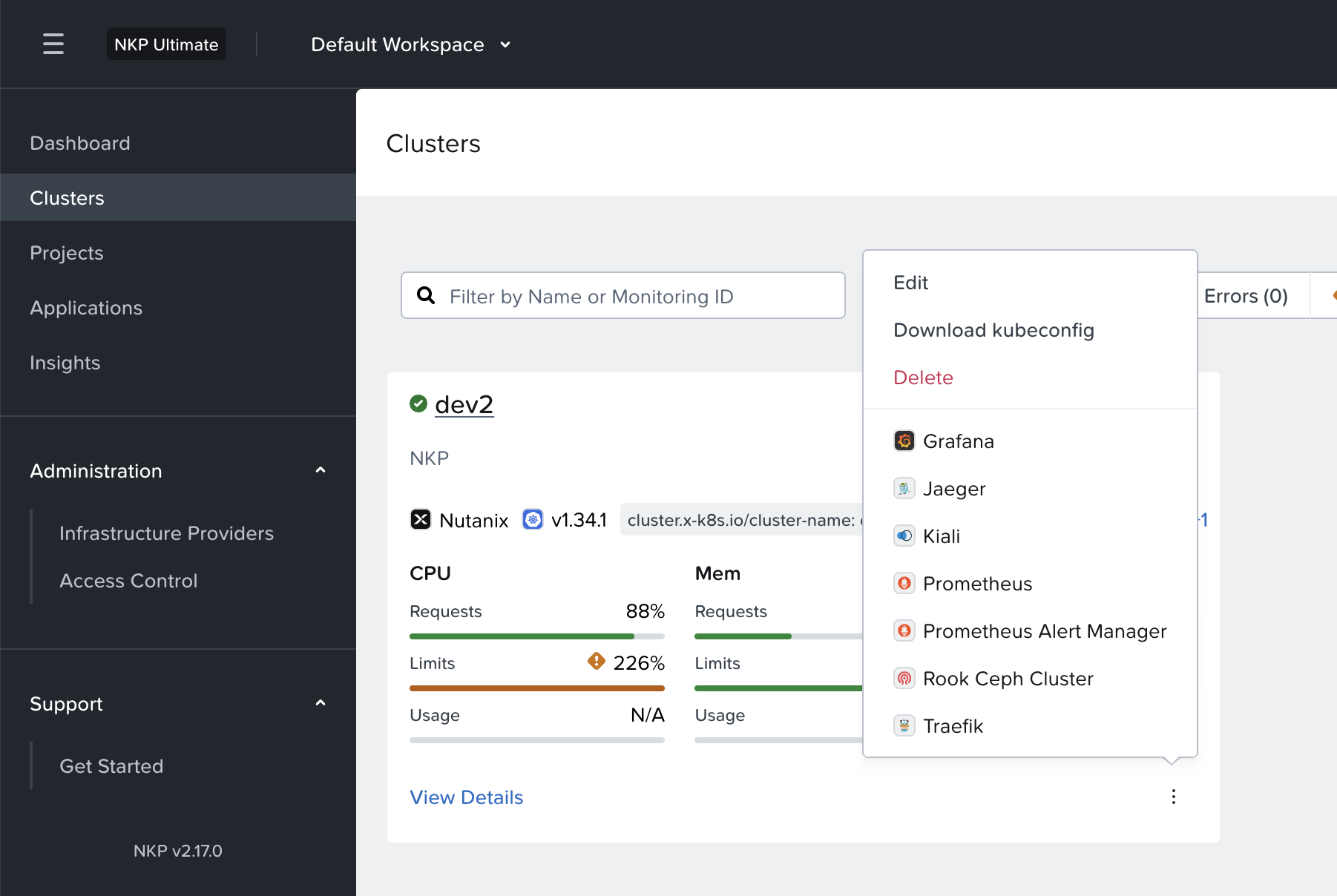
สามารถ monitor service ได้จาก kiali โดยไปที่ cluster แล้วเลือกเปิด kiali ตามภาพ
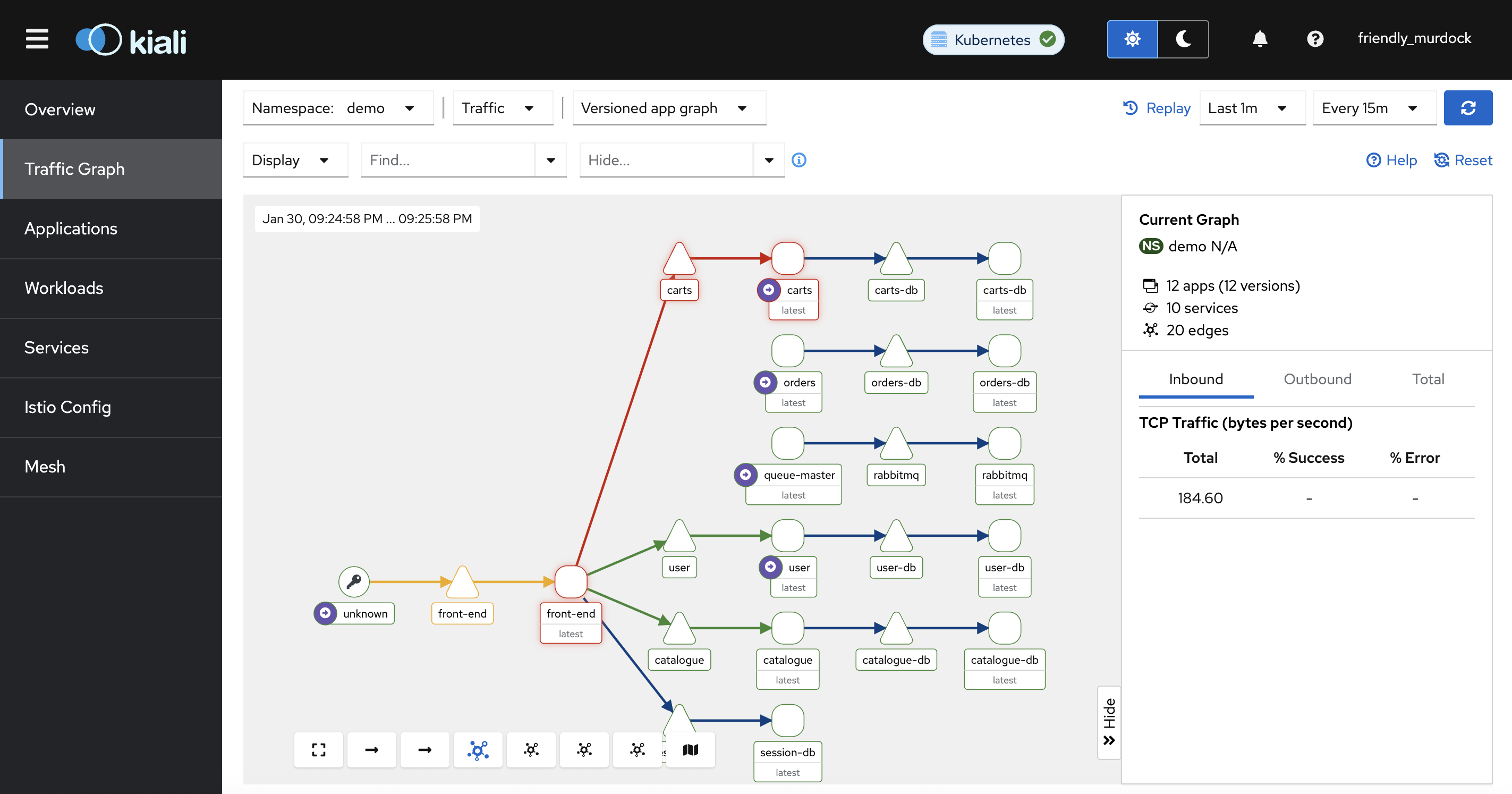
เลือก Traffic Graph และ namespace เป็น demo
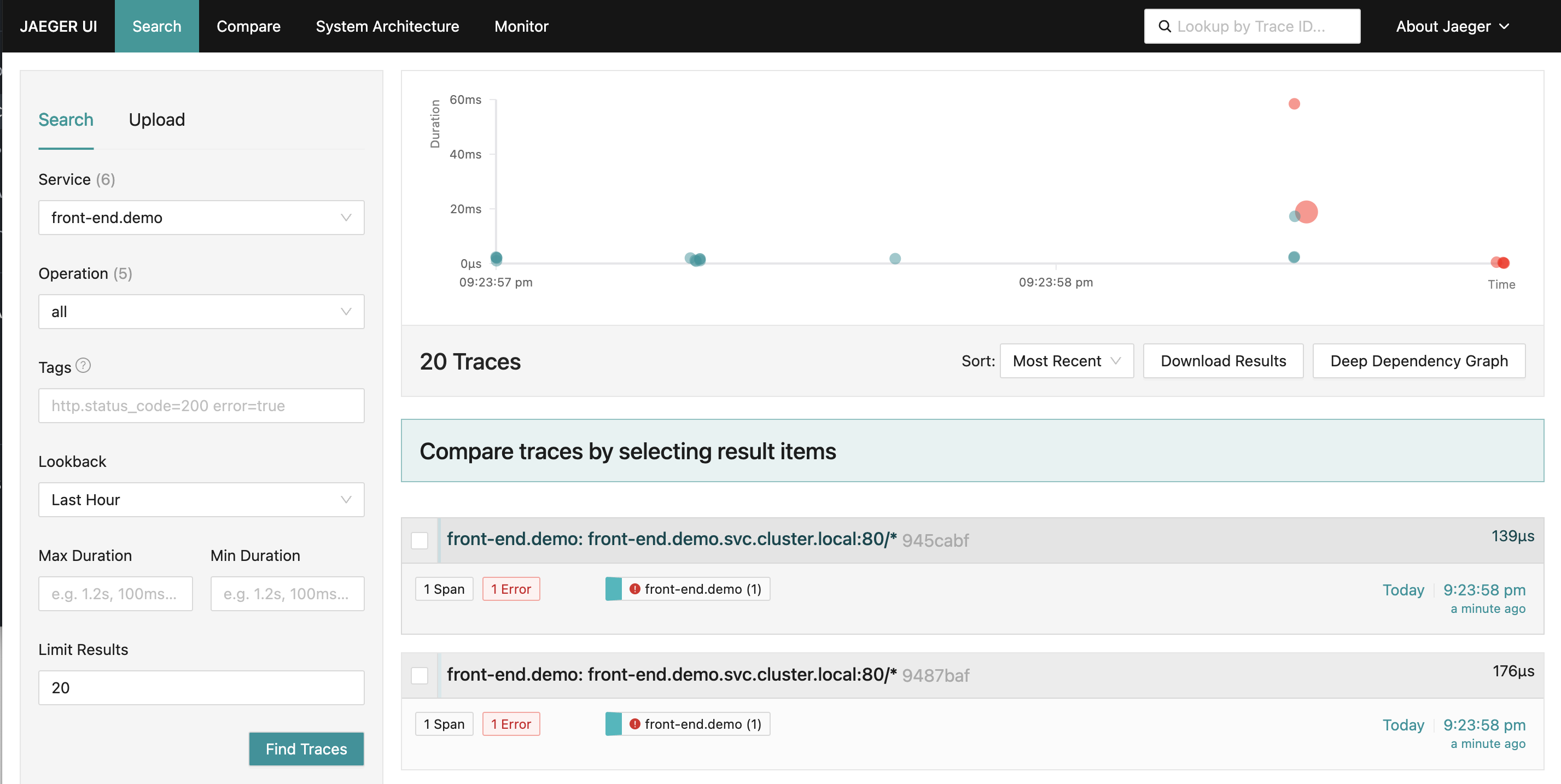
หรือสามารถดู service tracing จาก Jaeger โดยเข้าจากหน้า cluster หลังจากเข้ามาที่หน้าจอหลัก เลือก service ที่ต้องการ
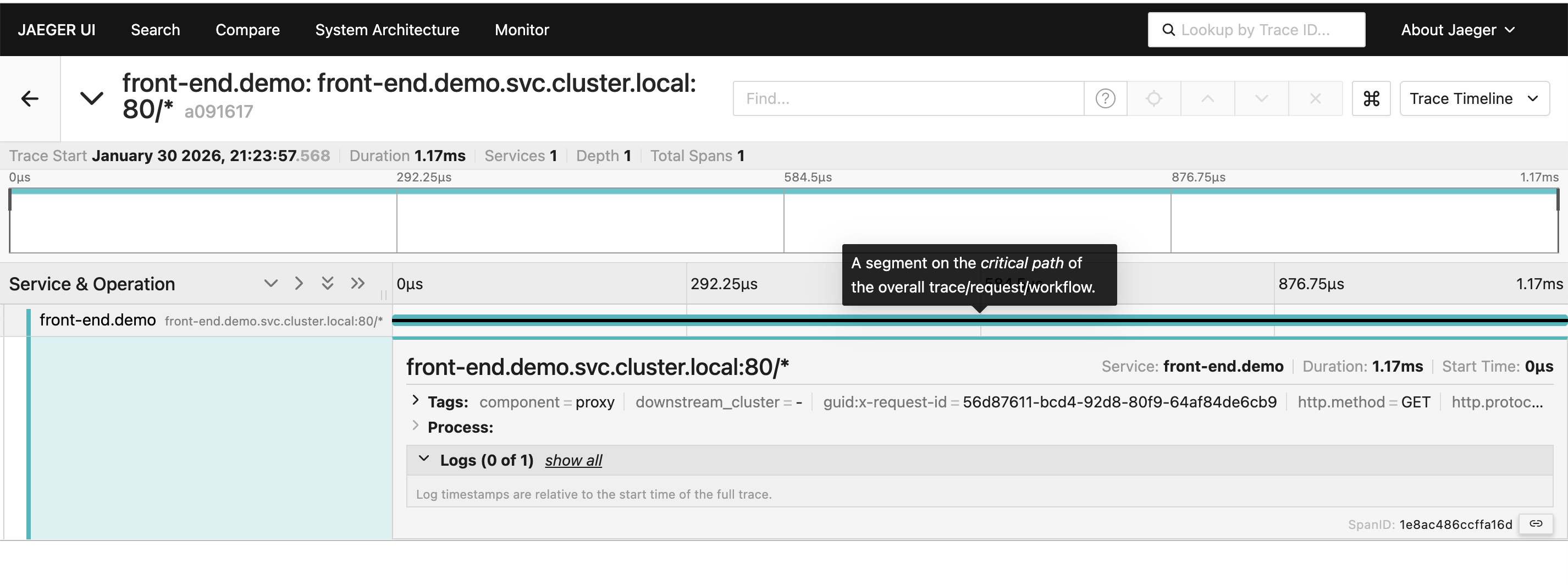
กดที่เหตุการที่สนใจ jaeger จะแสดงรายละเอียดของ process ดังรูปภาพ
 Tech Notes